




How to delete your account from PAIYA ?
Here is the procedure if you want to delete your account from PAIYA.
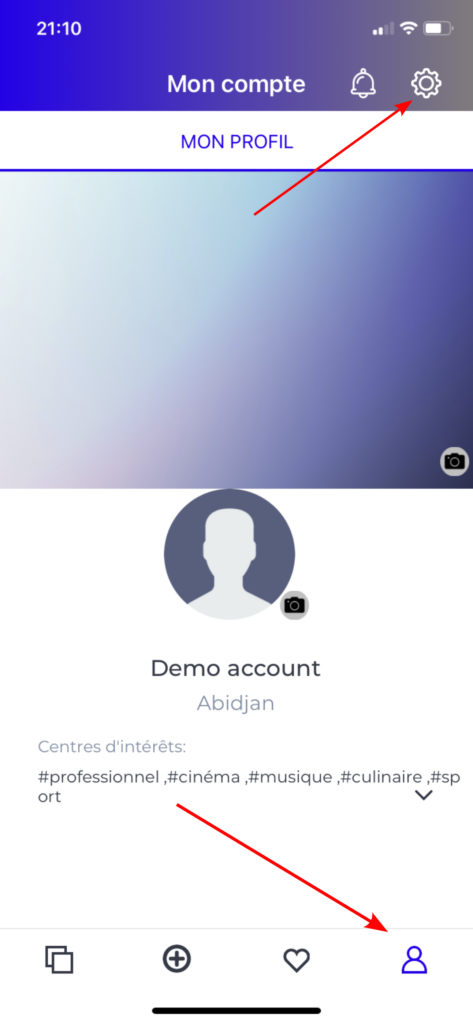
- Access the Profile page of the application then click the setting Button
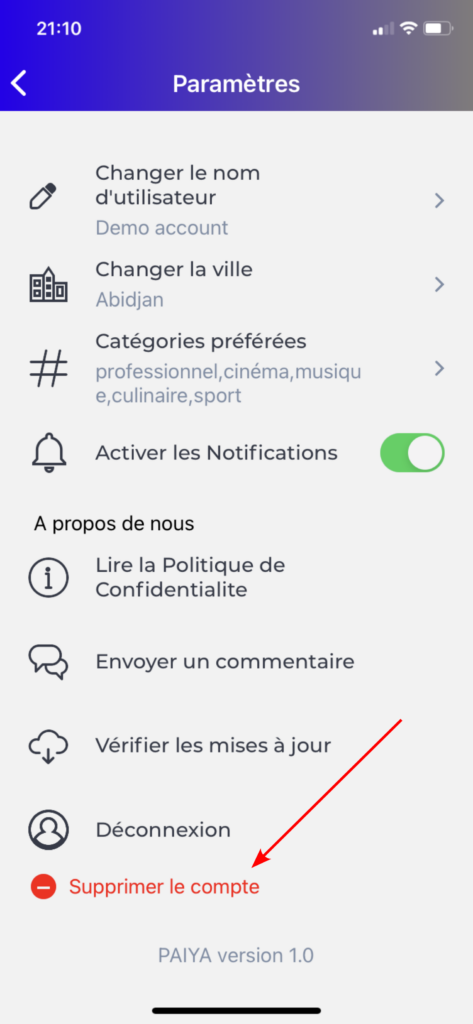
- Click on the button “Delete account”
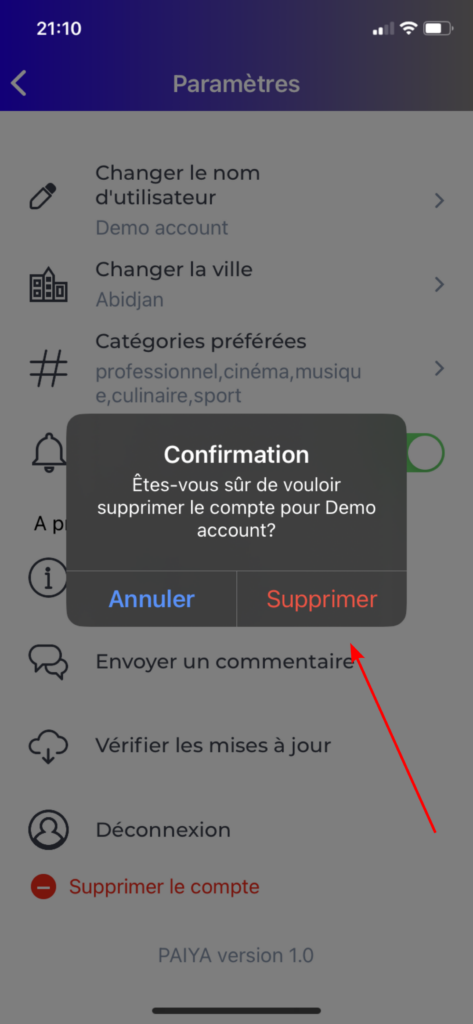
- Confirm the deletion of you account by clicking on “Delete” button
What data will be deleted after your account deletion ?
- Your login data will no more be stored in our server (no possibility to recover your account)
- Your preferences for PAIYA : City, favourites events categories, registered events, notifications you received for your account.